Code Explainer
Adaptive code understanding platform that dynamically switches between four scale-tailored explanation UIs, featuring Monaco-integrated annotations, overlay comments, and interactive diagrams.
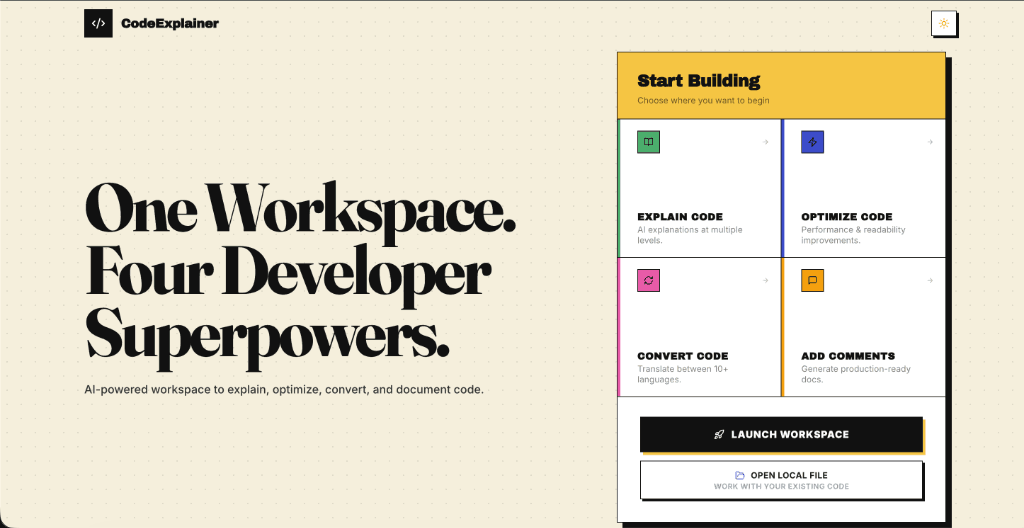
Code Explainer is an adaptive code understanding platform designed to optimize developer comprehension of files at any scale. Recognizing that a one-size-fits-all AI prompt fails to serve both a 10-line helper function and a 2,000-line module, I decided the interaction model itself needed to change with scale, not just the AI's verbosity. Rather than delivering a generic wall of text for every snippet, the system dynamically switches between four scale-tailored explanation UIs: step-by-step execution timeline cards for small snippets, complexity badges for mid-sized functions, structural flow maps for module-sized files, and entry-point explorers for codebase scale.
Standard AI code explanation tools rely on fixed templates that deliver the same format of output regardless of code length, leading to information overload on larger modules or shallow summaries for small functions. Developers need a system where the interaction model itself scales with the code complexity, rather than just changing the length of text responses.
Built purely on the frontend with React 19, Vite, and Zustand for lightweight state management, styled with modular Vanilla CSS variables for precise UI customization. Code analytics, complexity parsing, and Mermaid diagrams are computed entirely in the client browser, reducing server dependencies. Inline annotations and ghost comments are injected directly into the workspace using custom Monaco Editor gutter and line decoration layers.
- Interaction Scaled to Code Size — Map the input line count to four distinct visualization UIs (Detailed, Chunk, Architecture, and Codebase Explorer) to ensure code representation matches structural complexity.
- One-Click Depth Batch-Generation — Pre-generate all three reading depths (30s Summary, 5m Overview, Deep Dive) in a single LLM request. This eliminates response latency and token costs during interactive toggling.
- Non-Destructive Monaco Overlays — Inject inline notes and ghost comments using Monaco's decoration layers. This overlays context directly in the editor viewport without modifying the source files.
- Vanilla CSS Design Tokens — Designed a fully hand-rolled styling system with custom CSS variables to handle complex layout changes and micro-animations, avoiding heavy third-party UI framework bloat.
Built a client-side adaptive explanation engine that scales UI layouts (from step-by-step state tracking cards to multi-file codebase explorers) based on code line counts, with Monaco gutter overlays and multi-format exports.
- Adaptive engine switching between four UIs based on code line counts (0-100 to 2000+ lines)
- Three pre-generated reading depths (30s Summary, 5m Overview, Deep Dive) to eliminate latency on toggle
- Monaco editor gutter annotation system to attach private inline notes
- Interactive Mermaid diagram generation mapping statement-to-module relationships
- Multi-format exports to Markdown, PDF, Notion, and HTML
- 1
Synchronizing Gutter Annotations — Ensuring that line-specific comments, editor overlays, and gutter flags remain properly positioned and aligned when developers fold, expand, or edit lines of code inside the Monaco frame.
- 2
Generating Syntactically Valid Diagrams — Ensuring that dynamically structured code can be reliably parsed and represented in Mermaid.js flowcharts without encountering syntax/renderer crashes on edge-case syntax patterns.
- 3
Client-Side Multi-Format Exporting — Maintaining consistent layout rendering, font sizing, and visual quality when generating PDFs via html2canvas and jsPDF directly in the browser across different device screens.
- ✦Adapting the visual interaction model itself to the size of the data creates a far more intuitive experience than adjusting the AI model's text length.
- ✦Pre-generating and caching alternative views (depth summary, overview, deep-dive) upfront is a highly effective pattern for building instant-response AI interfaces.
- ✦Using native browser decorators and standard web components is often more resilient and performant for building complex IDE-like tools than wrapping heavy external layout libraries.